April 3, 2026
Set Up Integrations
Automatically send your orders to your favorite tools — instantly or with one click.
🔗 Connect Your Integrations
Easily send your orders to external tools for tracking, processing, or automation.
1. Go to the Apps Page
Navigate to the Apps page and choose the integration you want to use.
You can send orders:
Automatically → on every order creation
Manually → by clicking the Export button
2. Choose Your Integration
Select the tool where you want your orders to be sent.
👉 Don’t see the integration you need?
Use the Feedback button to request it — we’re constantly adding new integrations.
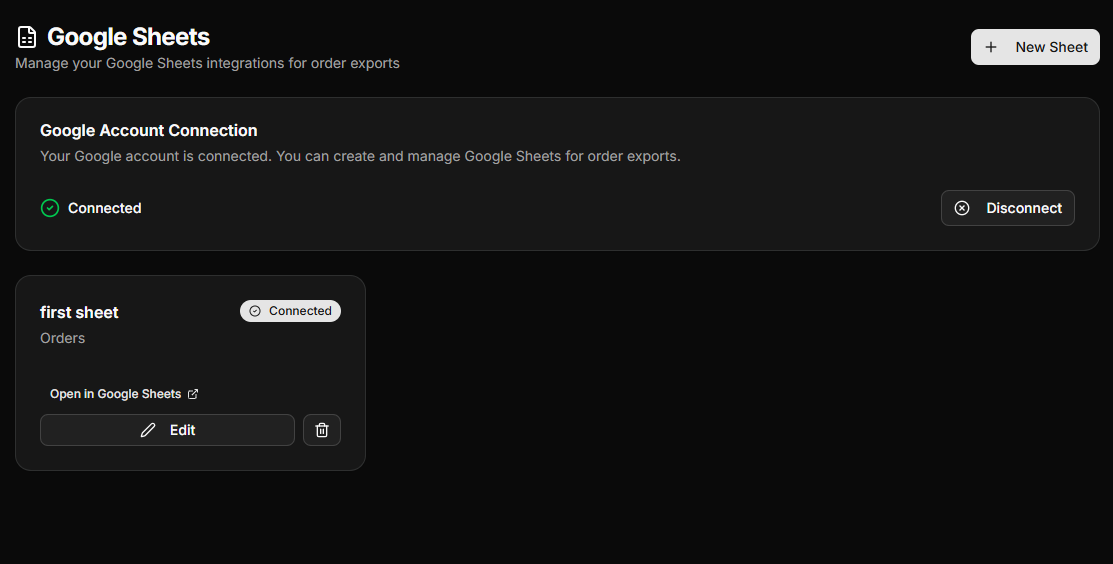
3. Use Google Sheets (Recommended)
For most use cases, Google Sheets is the easiest and most flexible option.
Connect your Google account
Create or select a sheet
Customize the fields you want to send
Start tracking and managing your orders instantly.
⚡ Why Use Integrations?
Automate your workflow
Centralize your data
Save time and reduce manual work
✅ You're Ready
Your orders will now be synced automatically or exported when needed.