April 3, 2026
Onboarding Guide: Set Up Your First Store in Minutes
Get your store live in under 2 minutes. Follow this simple step-by-step guide to launch your first CODShift store with ease.
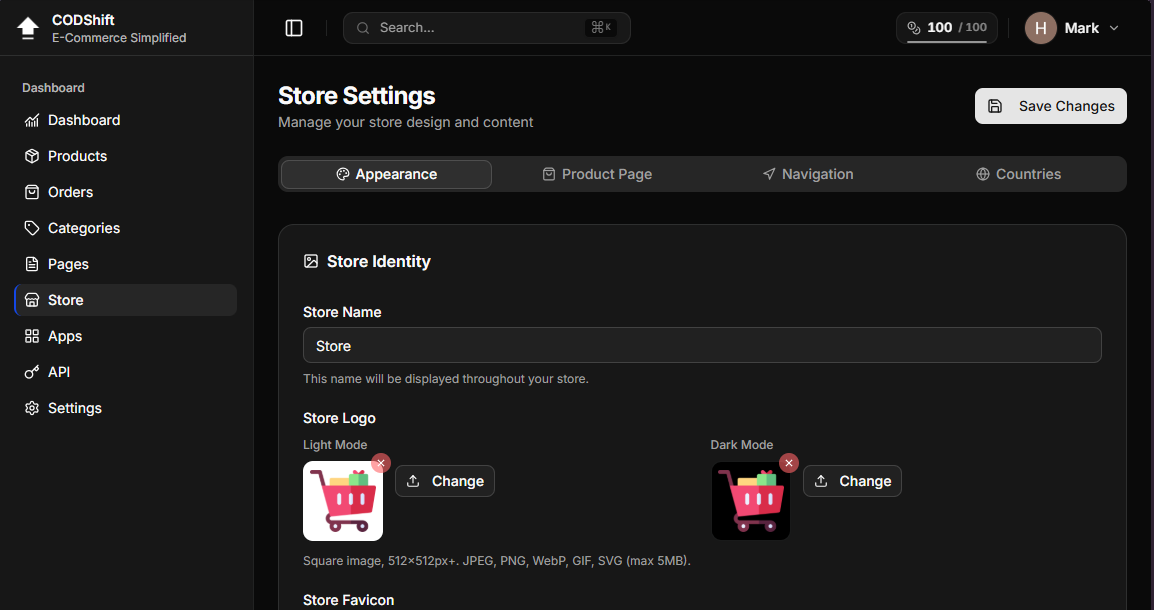
🚀 Set Up Your Store in Minutes
Creating your store with CODShift is simple and fast — no technical skills required.
1. Create Your Account
Start by creating a free account.
Once logged in, go to the Store page to begin customizing your store.
2. Set Your Store Identity
Choose a strong and memorable name.
Upload your logo and optionally add a hero image to represent your brand.
3. Choose Display Mode
You can:
Use Automatic Mode (recommended) — adapts to the user’s device
Or manually select Light / Dark mode
4. Customize Your Design
Personalize your store by selecting:
Header style
Font style
Overall appearance
5. Edit Your Hero Section
Customize your main section content:
Title
Description
Visuals
This is the first impression your customers will see.
6. Configure Products & Countries
Go to the Products page and customize it based on your needs.
Then go to the Countries section and add the countries you want to operate in.
7. Set Your Custom Domain (Recommended)
Finally, go to Settings and connect your custom domain for a more professional look.
✅ You're Ready
Your store is now fully set up.
Start adding products and launching your campaigns.